Color gamut of the pigmented inks for the Hewlett-Packard DesignJet 5000ps
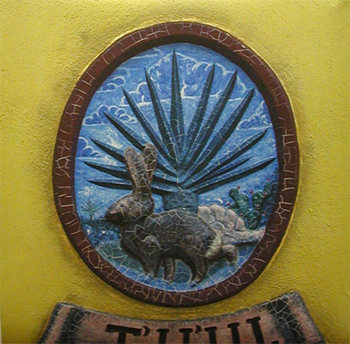 |
Closer look of a print from the HP 5000. This is an image on the gate post of a cemetary on a back road somewhere on the Yucatan penisula, Mexico, about a decade ago. |
Many years ago most water-based printers used only or primarily dye-based ink. There were years back then when Epson and Canon had no pigmented ink whatsoever. So circa 2001, there were a lot of people asking about the new HP UV pigmented inks, the new long-lasting inks for the HP DesignJet 5000 and 5000ps.
In those years HP traditionally released the dye based inks first. For the HP 2xxx and 3xxx series their pigmented inks were not introduced until quite a while after the printers were available. Thus the same sequence has been followed with the HP 5000.
The HP 5000 and 5000ps (ps=PostScript mini-RIP on board) were introduced in September at Seybold San Francisco 2000 trade show. The UV pigmented inks have been in considerable demand ever since then. Pigmented inks are needed for outdoor use, backlit, fine art giclee, and photo-realistic prints for photo studios. These inks were released during Spring 2001.
FLAAR received so many requests for information on the HP pigmented inks that we kept asking for a beta set so we could reassure everyone that the inks actually existed. Naturally other printer companies took advantage of the absence of UV pigmented inks for the HP printers.
Actually of course the pigmented inks have existed all along, indeed samples of prints from these inks were discretely exhibited at several international trade shows. But since the prints were not labeled with giant signs few people noticed that the inks were pigmented.
Since to our knowledge this FLAAR report is the first published notice on these new inks the FLAAR evaluations will be published on all three of our inkjet printer web sites. The review here will discuss the loading procedure, that is, how to change the inks from dye to pigmented.

|
The inks we received were a beta set. The inks come in one box: you get six HP printhead and cleaner sets; and one set of inks. As typical of thermal printhead systems it is usual to change the printhead when you change inks. With most HP printers you can expect a printhead to last two sets of inks. Thus for the dye inks you can get them with, or without, a replacement printheads. In the thermal system the printheads are intended to be disposable.
HP part number C2379-6001 is the UV 60 ink system. If you have a 42" printer you would get the 42 kit. This kit consists of a box about 22 x 36 inches, the "HP ink tube system storage." Basically you take the dye based ink lines out of your printer and park them in this storage garage.
All this comes with a booklet, "Upgrading the Ink System: Ink System Removal and Installation. 51 pages and well illustrated. We had a beta version dated October. It was a photocopy, letter size.
This report is not intended to be a user's manual since the HP booklet covers everything. I just wish to cover the steps: 1st, check your system software. If you have an early version (as did we) you have to upgrade the system software. This took forever thus I hope that the eventual commercial version of this package has everything conveniently on a CD. Obviously the download is no sweat, but for many first-time users attempting their first download of software can be a pain, and there is no reason to inflict this on anyone. It's easy enough to have all the software already on a CD. It would be even nicer if the software were already inside the HP printers when delivered, after all, that would encourage people to try the nice pigmented inks.
There were supposed to be labels, instruction labels. Either they did not survive initial opening the box or simply were not available in the beta set. No problem, because they are just pretty pictures showing you what to do.
Next you take out the the innards of the dye based ink system. You simply unclick it, raise it up, and neatly park it in the storage garage (the box). This took a skilled technician 20 minutes. If I had to do this myself I would have taken 15 minutes to read the book, 15 minutes to ponder the situation, and 15 minutes to take out the dye based system.
Then you add the new system, in reverse to the manner you took out the dye system. The two systems are identical in outside appearance. So pull the flexible ink tubes for the dye ink out; plop the new set in. The entire system is very very well designed. Just find all the latches and click-things, since its all levers and locks.
Then install the ink. 5 minutes to unpack and load. 2 minutes to prime, and you are all set.
But, then you face an unexpected hurdle, namely downloading the ICC profiles. I can only hope that, again, all these are on the CD that you get with the inks. FLAAR does not sell inks so we do not know the precise figure that will be in effect this spring, but you definitely need fully-functioning ICC profiles on that date.
Keep in mind, this is beta software that was available this early January. Although the inks themselves seem to be final version, the software still needs tweaking. What was not finished were the ICC profiles and the printer software itself. You have to update your printer with the software for the pigmented aspects.
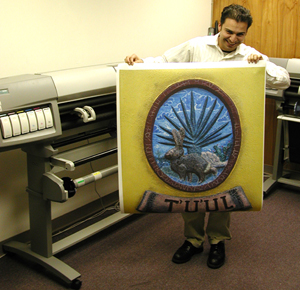 |
Print test of the HP Designjet 5000. |
Opinion so far: sure is a lot easier to load the HP inks than any Encad. Priming and ink loading HP ink set is idiot-proof. A child could do it. As for the removal of the dye system and loading of the ink lines, any normal person with patience can do this. But, if I were buying this printer, and was paying the going rate for the ink, I would ask my local HP sales rep as a courtesy to drop in and show me at least once how to do it the first time around.
The Epson 7500 and Epson 9500 have no options for changing the ink; none whatsoever. You can never use dye based ink in those printers. For the Roland, I have not had the pleasure of changing those inks, but one user suggested it was quite an experience. I got the impression it might be rather complex.
HP has designed the physical aspects of the ink system with considerable care. The system is indeed user friendly. The ink change is plug and play. The only glitch was the buggy software and the pain of downloading and getting the system software up to snuff, and then having it crash every two images. That caused the overall test to drag on for two entire days before we even got an opportunity to print our first image. Since I had flown all the way from Germany to do this, and had several gigabytes of test images to print, the delays were frustrating. After printing for three days we decided that the propensity of the system to lock up and crash suggested it realistic to bring the initial test phase to a close and wait until the software was less bug-ridden. In fairness to HP, we also needed to try out an additional computer, to eliminate the chance that it was the Mac that was causing the problem, not the unfinished printer software. The printer itself was a very early production model from last year. It is also possible that current models have different software. The two technicians working on this with us had to spend hours on the telephone with the friendly HP support people even to get the system up and running over a two day period, plus the third and subsequent days of continued software glitches. Since FLAAR is in the process of opening up a new evaluation studio at BGSU, we felt it would be more productive to do the remainder of the evaluation there.
The next phase of the long-range evaluation process included the new HP UV inks with textiles from 3P Inkjet textiles (silk, cotton, polyester) and regular media from Rexam (Intelacoat) and other media. We prefer to initiate testing with HP media, but the rolls which arrived were only 24" and only a few feet long (our images were up to 14 feet long so one image gobbled up an entire test roll). The general consensus is that the special HP media that is designed specifically for the new pigmented inks are more likely to produce the best color gamut. It's very simple: HP has the ink and obviously the media available since last year and hence has the time available to get the proper mix. But for fabrics, 3P is the best known.
So, after we got enough prints to show the color gamut of the blue, cyan, yellow, and various reds, we closed out the initial phase of testing. Jose and Roger took out the pigmented inks, printhead cleaning stations, and all the tubes (to send to the university for further evaluation). Took all of 10 minutes. It would take another 10 minutes to get the dye based system components back in. In other words, you can switch back and forth whenever you wish to. Whoever designed this ink system in general and pigmented ink system in particular did an excellent job.
Unfortunately we did not have BEST color management RIP during the initial phase). But now that we have reinstalled the pigmented inks and continued the evaluation at FLAAR's facility at Bowling Green State University we will be using BEST and appropriate tools to improve the ICC profiles. However that was a complex RIP so we switched to Wasatch.
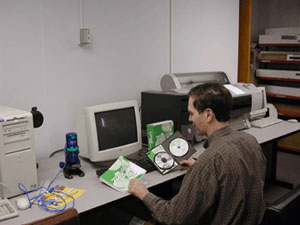 |
Nicholas Hellmuth reviewing RIP software. |
We know from experience with Epson, that it took the software engineers several months to get their ICC profiles corrected. There is still time between now and the Spring '01 launch date. These new HP pigmented inks are definitely worth the wait.
This page has described the ease of use of the physical aspects of the system. People who have seen the test prints were very impressed with the colors, especially the cyan, blue, reds and yellow. The greens were great and will be even better when the ICC profiles remove the excess yellow cast, but more of all that on www.FineArtGicleePrinters.org. HP itself has updated the software to remove the excess yellow (actually it was a faulty yellow sensor that HP has subsequently replaced). The general consensus is that the color gamut with HP pigmented inks is better than that of Epson 10000.
Should you consider a used HP Designjet 5000 or 5500?
These two printer models are almost identical. The HP 5500 has slightly better firmware and a few added features, but otherwise are quite similar to each other. Both these printers are the best of their kind ever constructed, so used (if at a good price, and if in good condition) would be worth considering.
After-market inks for the HP Designjet 5000 and HP 5500
There is no need to spend money on expensive inks when good after-market inks are readily available. I have recently visited three printshops that have the HP 5500; all were using after-market replacement inks from Sam-Ink. They said the third-party replacement ink was just as good as the original ink and cost a lot less.
Water-based printers were common 2001-2004, but today it is UV, latex and Sepiax
FLAAR covers every UV-flatbed printer make and model that is known from the US, Europe, China, Japan, Korea, and Taiwan. Here on the wide-format site we cover Leggett & Platt Virtu (formerly 3M Scotchprinter 2500 UV) Durst Rho 160 UV flatbed, Inca Eagle with Sericol UV inks, Nur Tempo UV flatbed. However most of the other wide format UV-curable inkjet flatbed printers are covered on our sister-site, Large-format-printers.org.
Most recently updated May 10, 2010.
Previous updates: March 30, 2009, May 14, 2002, August 02, 2001.